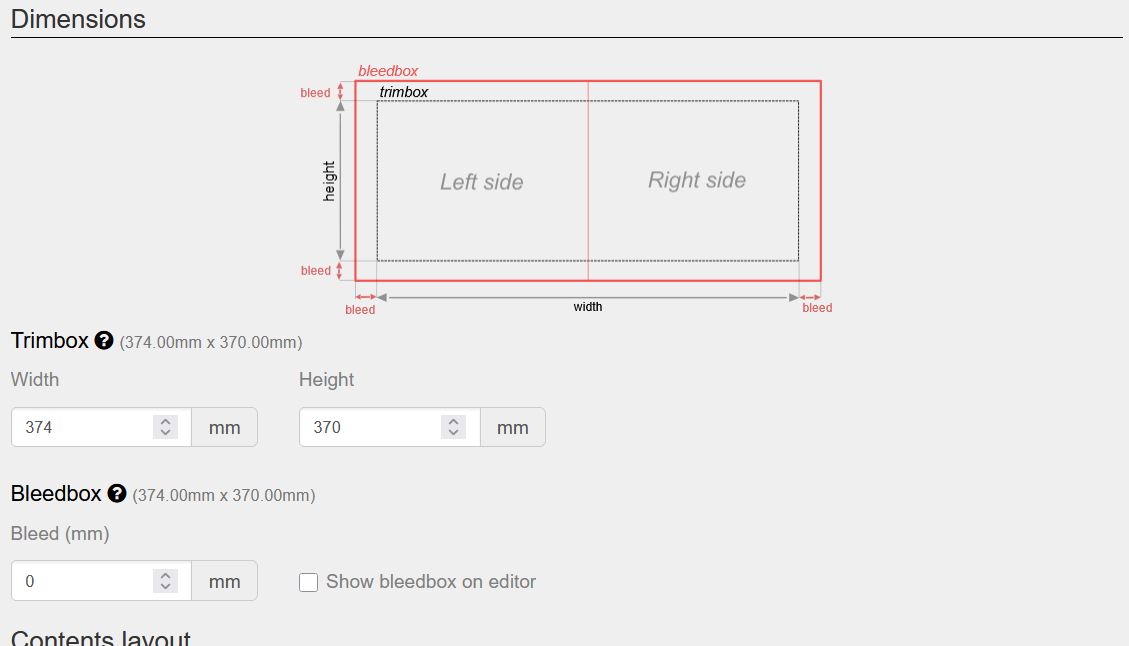
Album with cover
We are going to create a 20-sheet album with a cover, 370mm wide x 245mm high, and we will show different possible combinations.
Template Creation
First, we will create a new template using the Responsive Photobook module in our Template Manager. 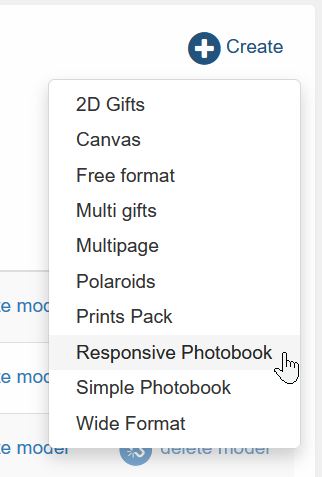
Then, we will enter the most common options:
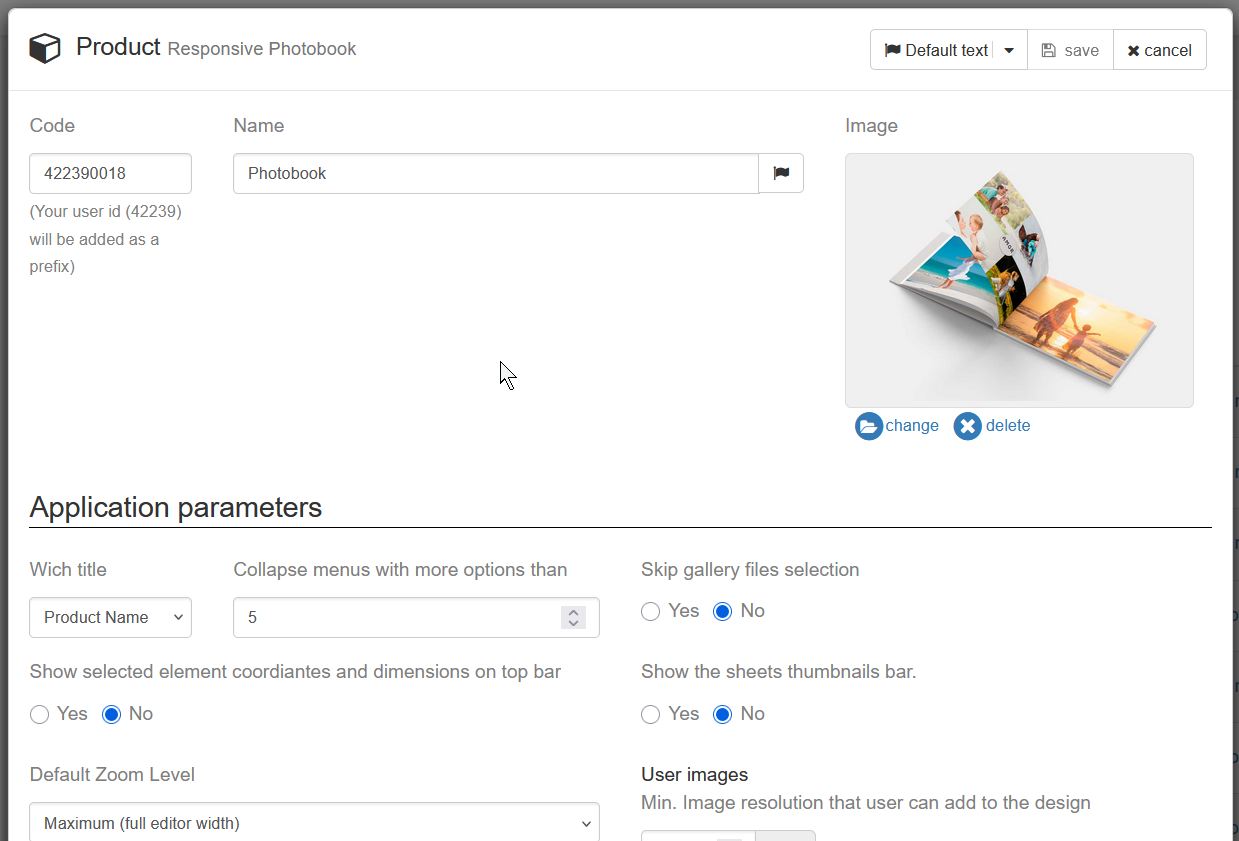
And we will configure the album to have 20 sheets (40 pages):
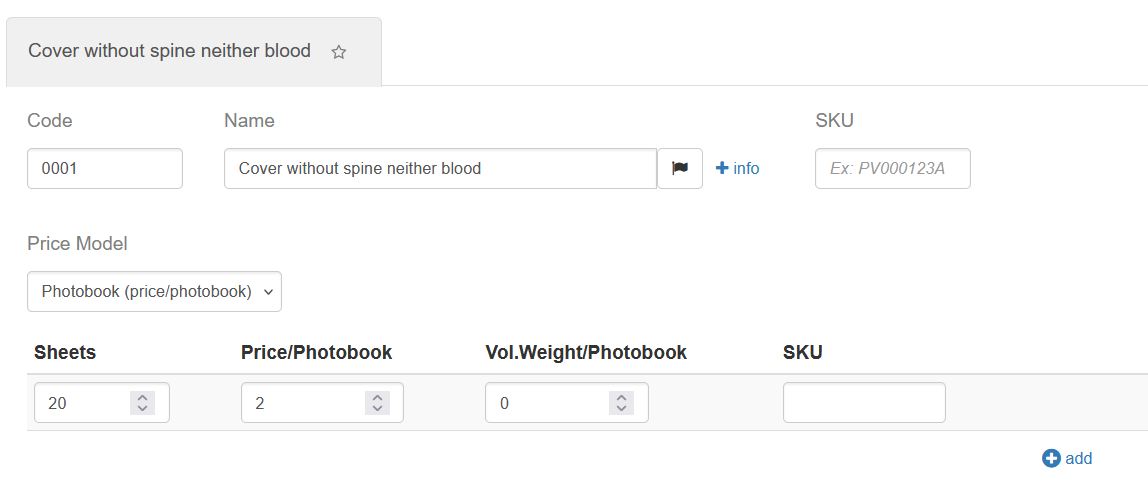
Next, we will configure the cover options:

Creating a cover without spine or bleed
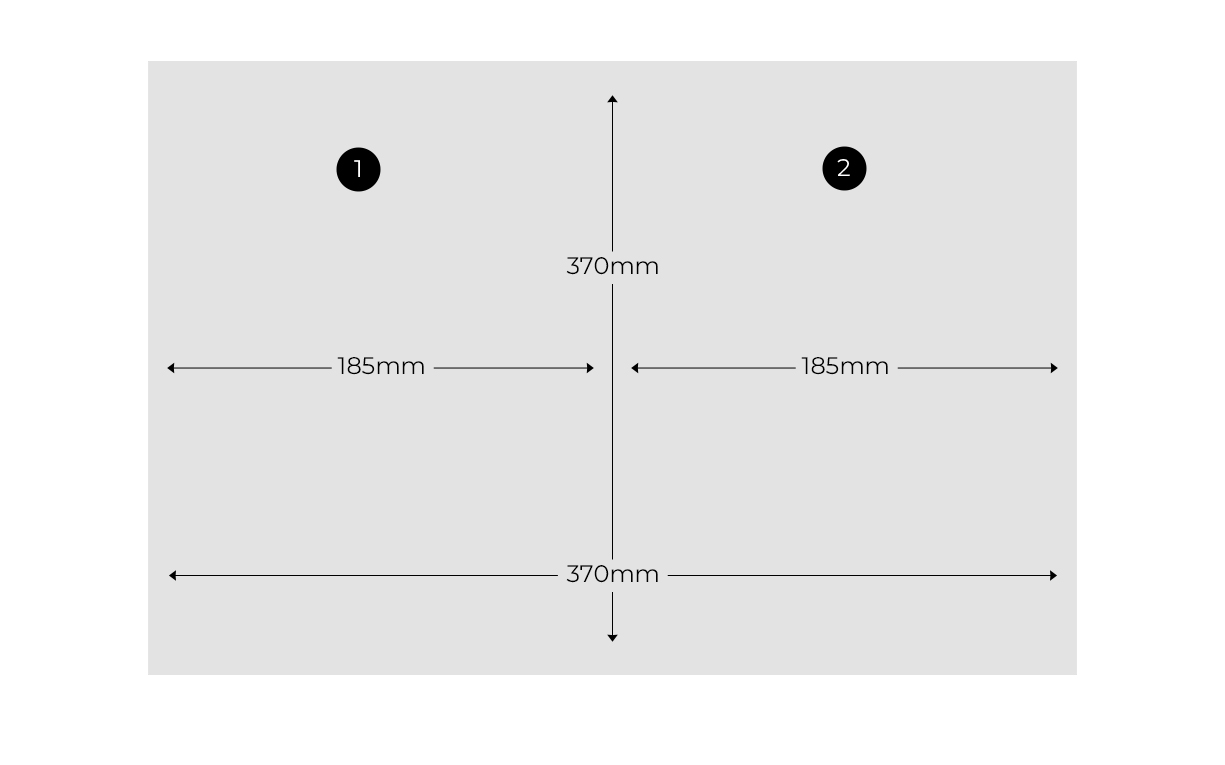 Legend:
- Back cover
- Front cover
To achieve a cover with these specifications, we will configure it as follows:
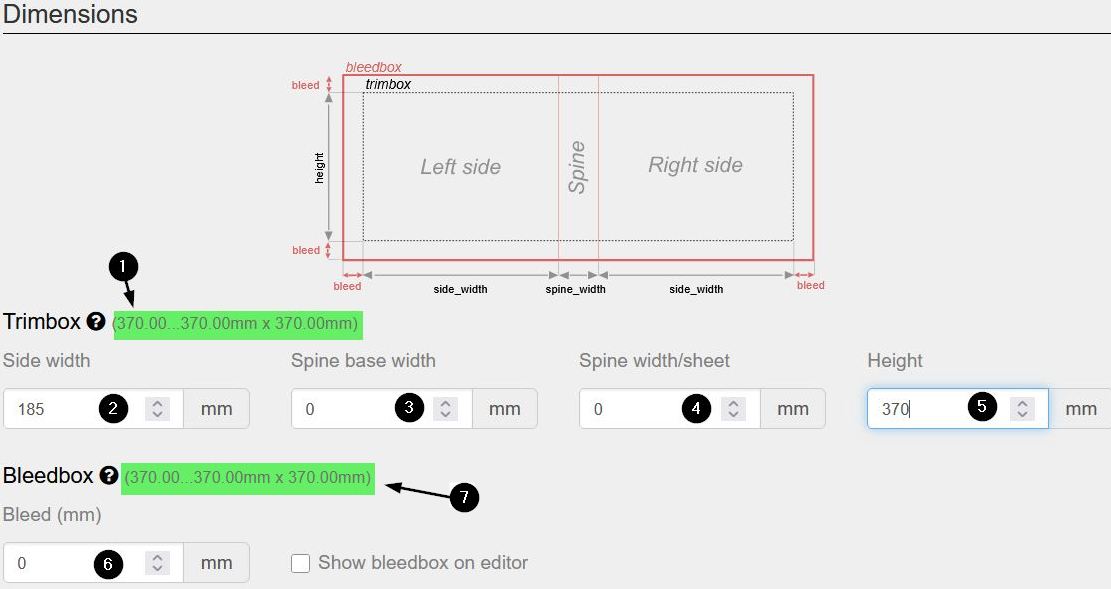
Legend:
- Measurements with the Album open without bleed: Width 370mm: Back cover width (185mm) + front cover width (185mm) + spine width (4mm) Height 370mm: Height (370mm)
- Width of the back cover and width of the front cover. The value entered will apply to both parts.
- Spine width
- How many mm should be added to the spine for each additional sheet
- Album height without bleed
- Bleed in mm
- Measurements with the Album open with bleed; since no bleed is added, it will have the same value as without it. Width 370mm: Back cover width (185mm) + front cover width (185mm) + spine width (4mm) Height 370mm: Height (370mm)
In the printing world, bleed is an additional margin added to the original design to ensure that, after the cutting process, no unwanted white edges remain on the paper borders. For example: If you want an 85 x 55 mm card, you must send a 91 x 61 mm file. Those extra 3 mm per side will “die” in the guillotine, but they guarantee a professional and clean finish.
Creating a cover with spine and bleed
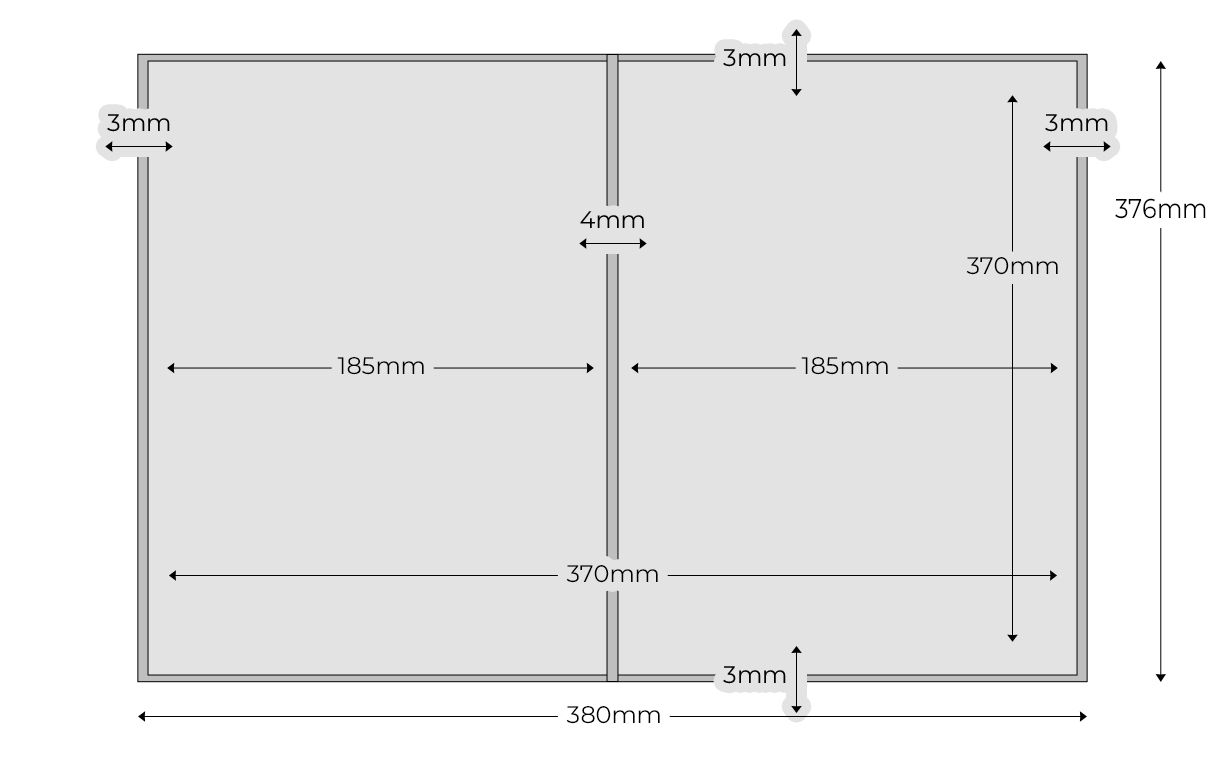
To achieve a cover with these specifications, we will configure it as follows:
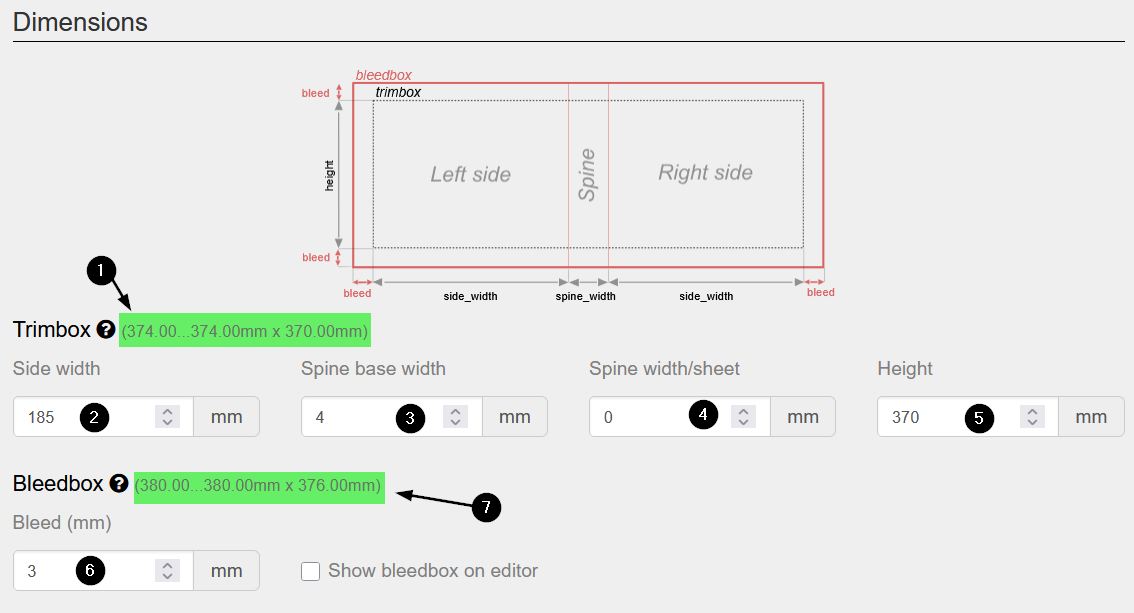
Legend:
- Measurements with the Album open without bleed: Width 374mm: Back cover width (185mm) + front cover width (185mm) + spine width (4mm) Height 370mm: Height (370mm)
- Width of the back cover and width of the front cover. The value entered will apply to both parts.
- Spine width
- How many mm should be added to the spine for each additional sheet
- Album height without bleed
- Bleed in mm
- Measurements with the Album open with bleed (Width + bleed x Height + bleed). Width 380mm: Back cover width (185mm) + front cover width (185mm) + spine width (4mm) + right side bleed (3mm) + left side bleed (3mm) Height 376mm: Height (370mm) + top side bleed (3mm) + bottom side bleed (3mm)
Inner Sheets
We will access the sheets section:
And we will configure the width and height of the sheet as well as its bleed. In this example, since the front and back cover without bleed measure 374mm wide by 370mm high, that will be the size of the sheets.