
Polaroid
Polaroids
The Polaroid editor is designed to offer copy products of the Polaroid type or copies with colored borders.
You can see an example here.
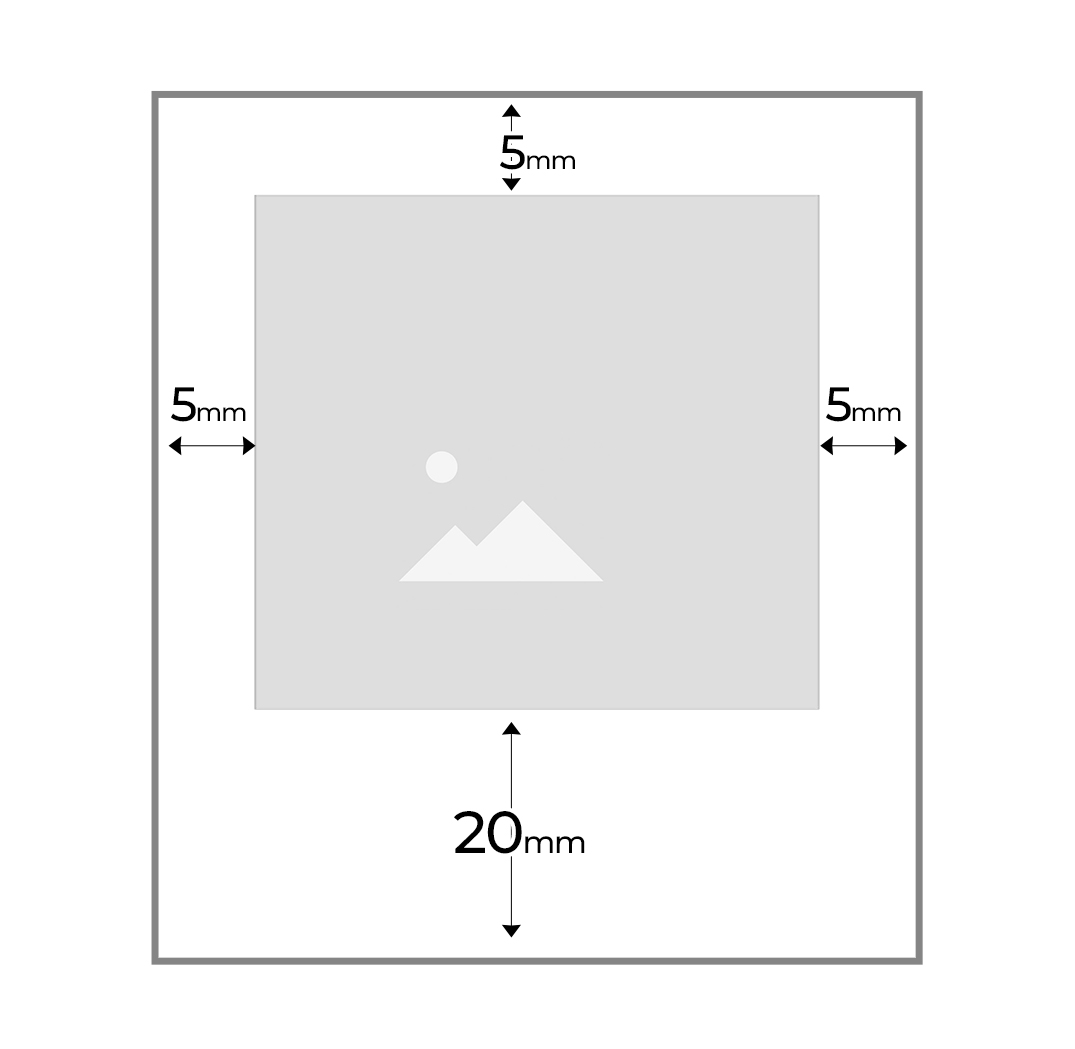
It is possible to configure the location of the customer’s image and add text to the foot of the image to be printed.
It has the possibility of selecting different contour background colors to apply to the images and selecting a typographical font from a preset list.


Dimensions / Photo Location / Footer Text
In this section, we must configure the dimensions, in millimeters, of each product variant.
We can configure the photo location 1 and set the millimeters that the image margins will have on the page.
We can also configure whether we allow text to be entered at the foot of each image and the font size.
Important: If we check the option to allow footer text, we must also configure the Font option in the product options.

Background Option
This option allows configuring the product with a series of background colors already predefined in the system.
When editing the product, the customer can modify the background color to one of the configured colors.
The background colors available for Polaroid type products are the following:
- White
- Black
- Red
- Dark blue
- Pink
- Soft blue
- Brown
- Champagne
- Multicolor folder
- Multicolor Vintage.
The vintage multicolor or folder multicolor colors automatically add a different background color to each polaroid.
When configuring the product, we can modify all the names to the text that best suits.

Font Option
This option allows configuring a selection of eight predefined font types for the customer to choose from when entering text at the foot of each image.

By adding the option, we can modify the names and select the ones we offer the customer.