
How to Configure Shipping Methods
We can configure different shipping methods in our Printspot store that adapt to our needs.
To do this, we will access the section **Settings – Shipping**:
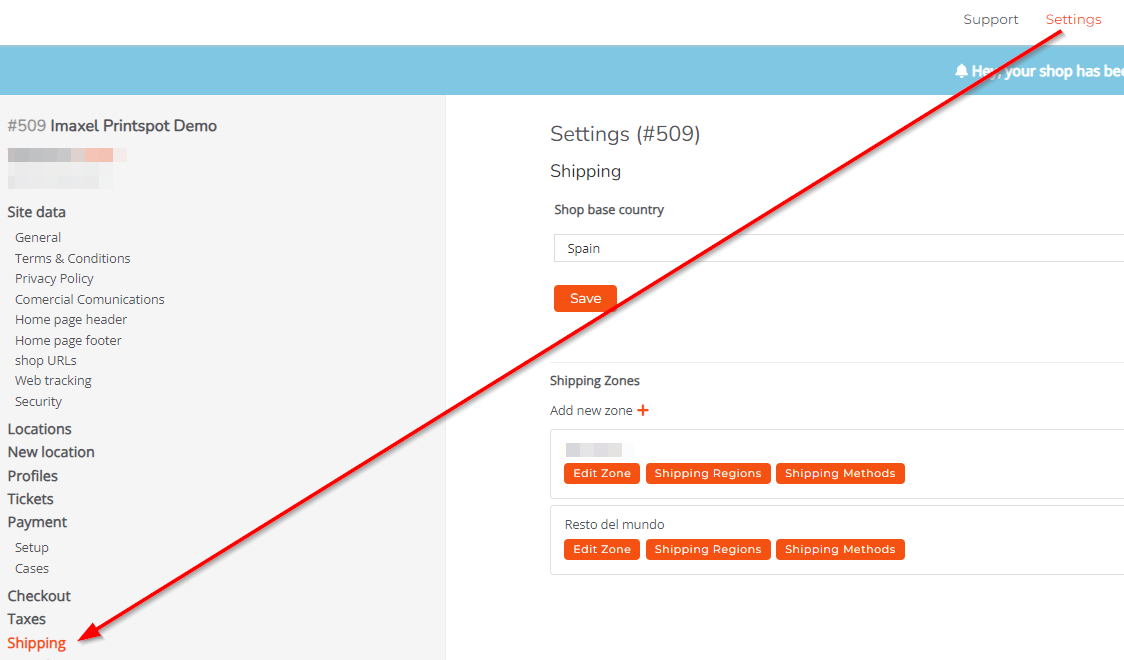
Here we will find several sections:
Base Store Country

Here we have a dropdown whose options are all the countries in the world; we must select where the store is located.
Selling Countries

Here we have a dropdown whose options are all the countries in the world; we must select where we want to operate. We can select several. If we do not select any, all will be available by default, so it is always advisable to limit them.
Shipping Zones
In this section, we can add different shipping zones which, in turn, will be governed by their own configurations. For example, we could add two shipping zones that apply to two different countries, and in each of them, shipping is charged differently, or for example, within the same country, like Spain, we could apply one shipping zone for national shipping with its rates and another for island shipping.
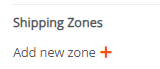
For each defined **shipping zone**, three options are available:

- Edit Zone
Where we can order the zone. For example, if we have several, the user would be shown the one we want first. If there is only one zone, no action is necessary.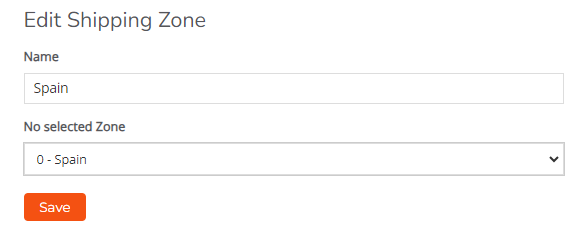
- Shipping Regions
This is a configuration that allows defining specific geographical areas to which a product can be sent from the Printspot store. These regions can be countries, states, provinces, or other territorial divisions, depending on the merchant’s configuration and needs. An example would be if we want to charge for national shipments, we should introduce all the Autonomous Communities (CCAA) of the peninsula. 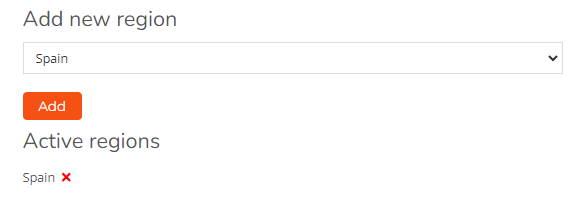
- Shipping Methods
Some common shipping methods include standard shipping, express shipping, international shipping, local delivery, in-store pickup, among others. Each shipping method may have different rates, delivery times, and restrictions depending on the customer’s location, package weight, and other factors.
 We also have a sliding button that allows us to enable or disable the desired rate.
In the example described, the user would see the following options, provided they have entered an address in Spain:
