
Automatic Printing for DX – DE Fujifilm Printers – FujiPUD
The FujiPUD Plugin for Fuji printers is one of our plugins with the purpose of automating printing. Each plugin works for the automation of its respective printers: Noritsu, Fuji C8, Fuji PUD, Citizen, DNP, EPSON, Mitsubishi, etc.
In this tutorial, we will cover the necessary steps to configure the plugin for Fuji printers with the FujiPUD printing software.
First, we will configure the order output to send them to the FujiPUD plugin. To do this, we access the configuration menu of the PrintCenter. We indicate the output to the plugin, and once selected, we click the Configure button.
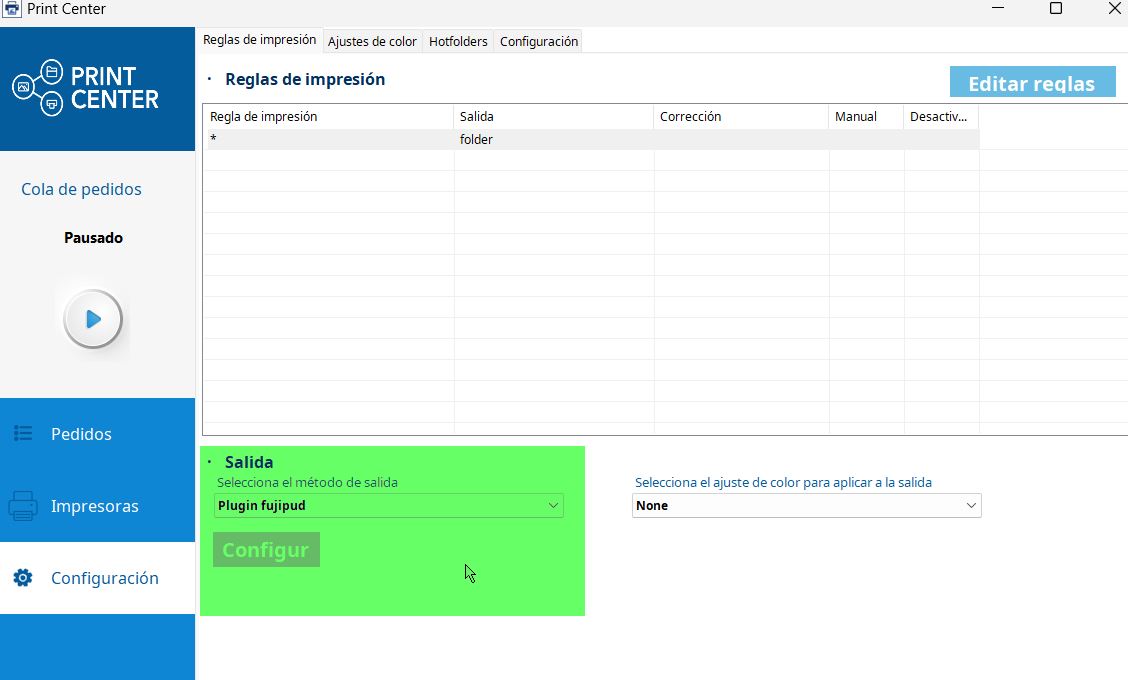
Automatic Production Configuration
The application parameters are presented below:
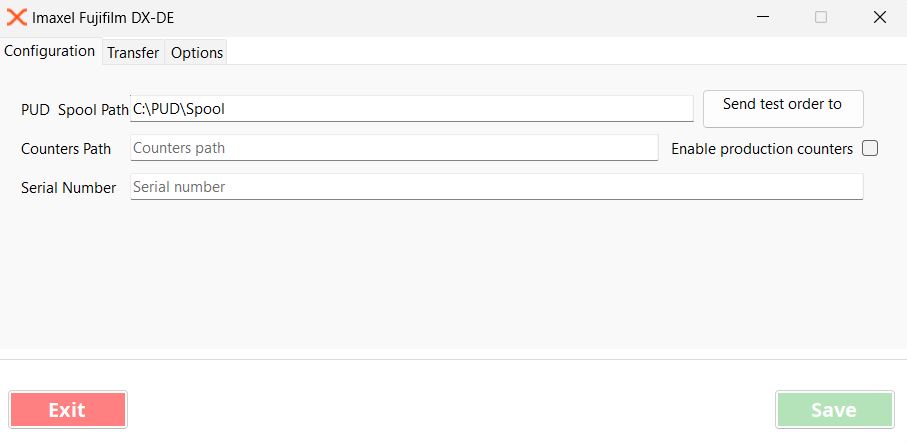
To activate the connector with Fuji DX/DE systems, **it is necessary to have access to the PUD folder (SDK-P).**
If the computer with PUD installed is an Order-IT, we can install the software on the same computer and configure the variable **“PUD Spool Path”** with the value **c:\PUD\Spool.**
If the computer managing the DE/DX printers is an **IMPServer**, we recommend sharing the C:\PUD folder on the network, installing Imaxel Station on another computer, and configuring the variable **“PUD Spool Path”** with the path to the shared folder.
Configuration Tab
PUD Spool Path
Path to the Spool folder where jobs are received in PUD. It acts as a hotfolder; when the PrintCenter downloads orders, those destined for the plugin will be downloaded to this folder, which is the one the software internally uses to process orders.
Send test order to PUD
With the “Send test order to PUD” button, we can validate that a test order is written and processed in PUD.
Enable production Counters

This functionality enables production counters to keep track of the production processed by the plugin. The following options are parameterizations of this functionality.
Counters Path
Path to the folder where production counters will be stored if the “Enable production counters” parameter is active.
Serial Number
Identifier to be used in production counters
Transfer Tab
SFTP
Parameters to configure the SFTP connection where production counters will be sent
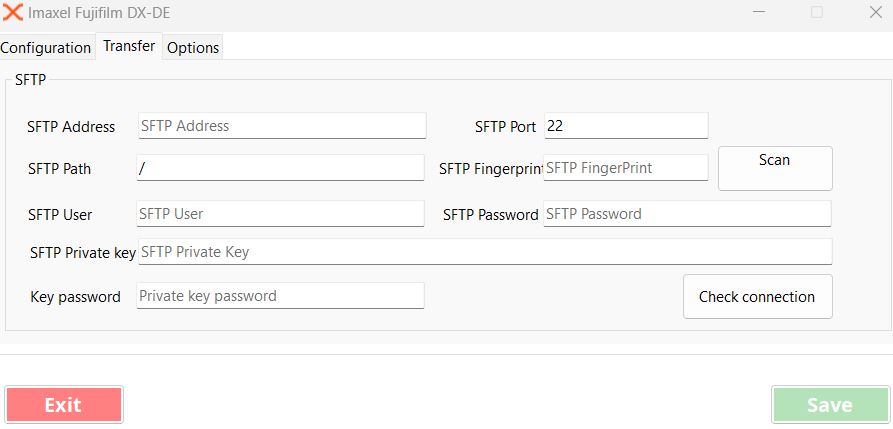
Transfer Tab
Keep local counter files
Days that the counter files will be kept on the computer.
Order Processing
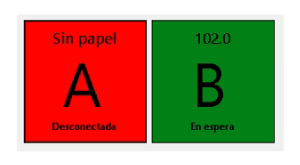
Once an order is sent for processing, the FujiPUD monitoring screen appears.
This screen reports three parameters for each of the available printers:
- Loaded paper width
- Printer identification
- Printer Status:
- Disconnected
- Waiting
- Busy
- Printing
- Fatal Error
- Error
- On Hold
Status color indicator:
- red for disconnected, busy, or fatal error
- orange for printing status
- green for operational status
Once the job is processed, the plugin generates a folder for each processed job in the folder defined in “PUD Spool Path” in the configuration file.
This folder contains:
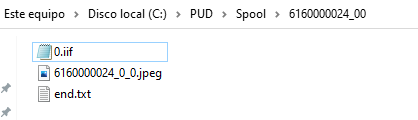
- An .iif file for each file with the processing information for PUD (e.g.: 0.iif).
- The files to be processed (e.g.: 6160000024_0_0.jpeg).
- Once finished, it generates an end.txt file in the destination folder, and PUD will begin processing the job.
The width value indicates the paper roll that PUD will use to produce the print; the available widths are the following:
- 89 mm
- 102 mm
- 127 mm
- 152 mm
- 203 mm
- 210 mm
The height value indicates the paper length that PUD will use before cutting the paper. A length of up to 1 meter can be applied on DE/DX printers.
Templates available for direct printing
| Template Code | Template Name |
| FUJDX10X10 | 10×10 Prints |
| FUJDX10X13 | 10×13 Prints |
| FUJDX10X15 | 10×15 Prints |
| FUJDX11X15 | 11×15 Prints |
| FUJDX1318 | 13×18 Prints |
| FUJDX15X15 | 15×15 Prints |
| FUJDX15X20 | 15×20 Prints |
| FUJDX15X30 | 15×30 Prints |
| FUJDX2020 | 20×20 Prints |
| FUJDX2025 | 20×25 Prints |
| FUJDX2030 | 20×30 Prints |
| FUJDX2030AF | 20×30 Annual Calendar (1 sheet with 12 months) |
| FUJDXALB1015 | 10x15cm Album 10 pages |
| FUJDXCALUNI1520M | 15×20 Unibind Calendar |
| FUJDXCOL1015 | 10×15 Collage |
| FUJDXCOL1318 | 13×18 Collage |
| FUJDXCOL2030 | 20×30 Collage |
| FUJDXSTRIP10X20 | Photo Strips |
| FUJDXSTRIP9X15 | Photo Strips |